TikTok to MP3 Converter
Convert TikTok to MP3 from the video's link. Paste a public TikTok URL, pick a bitrate and download the sound, song or voiceover as an MP3 on your phone or computer. Free, with no app and no login.
- MP3 128–320 kbps
- Size shown first
- No TikTok login
- Free
Only download sounds you own or are allowed to use. Not affiliated with TikTok or ByteDance.
How to Convert TikTok to MP3 in 3 Steps
Copy the TikTok's link, paste it here and download the audio. It works the same in the TikTok app on a phone and on tiktok.com on a computer.
 1
Copy the Link
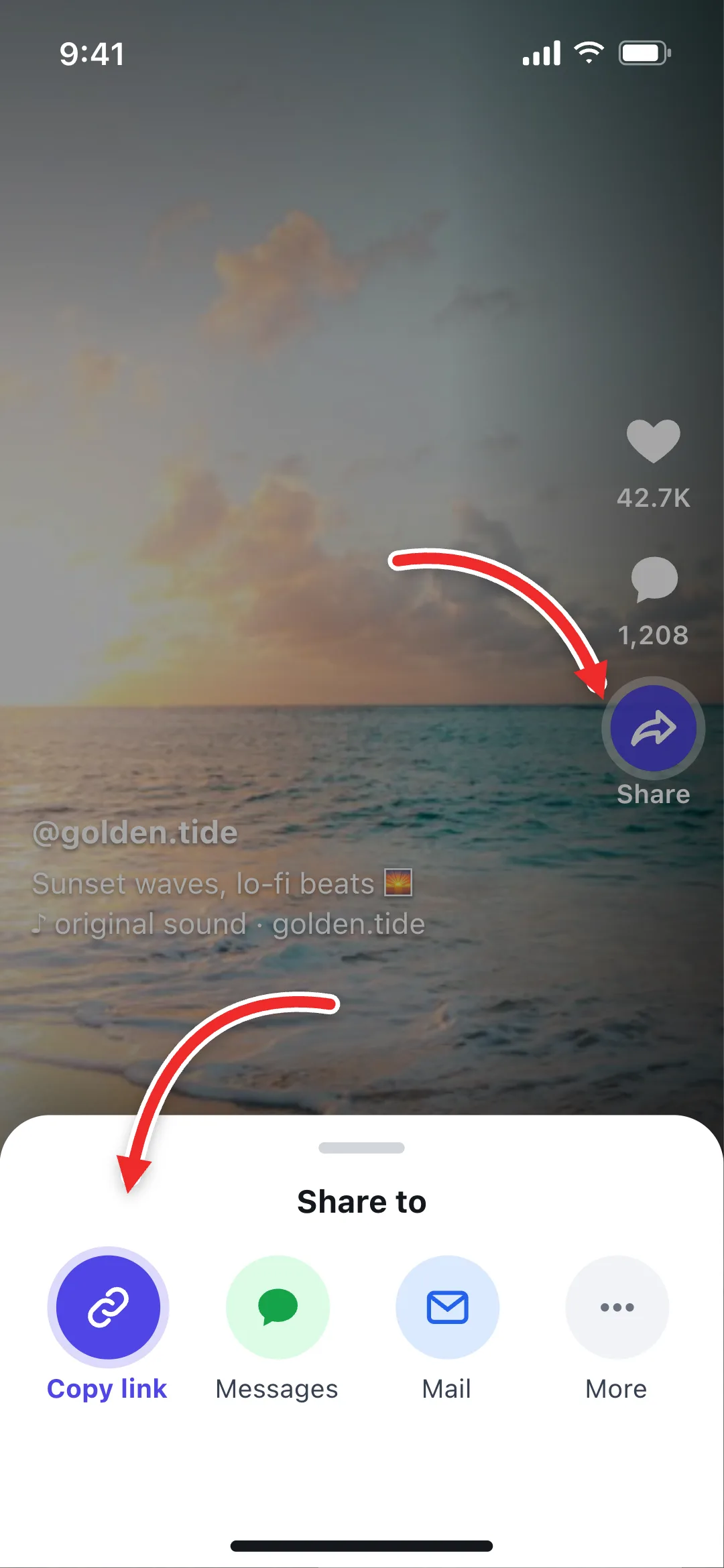
In the TikTok app, tap the Share arrow on the right and choose Copy link. On a computer, copy the video's URL from the address bar.
 2
Paste the URL
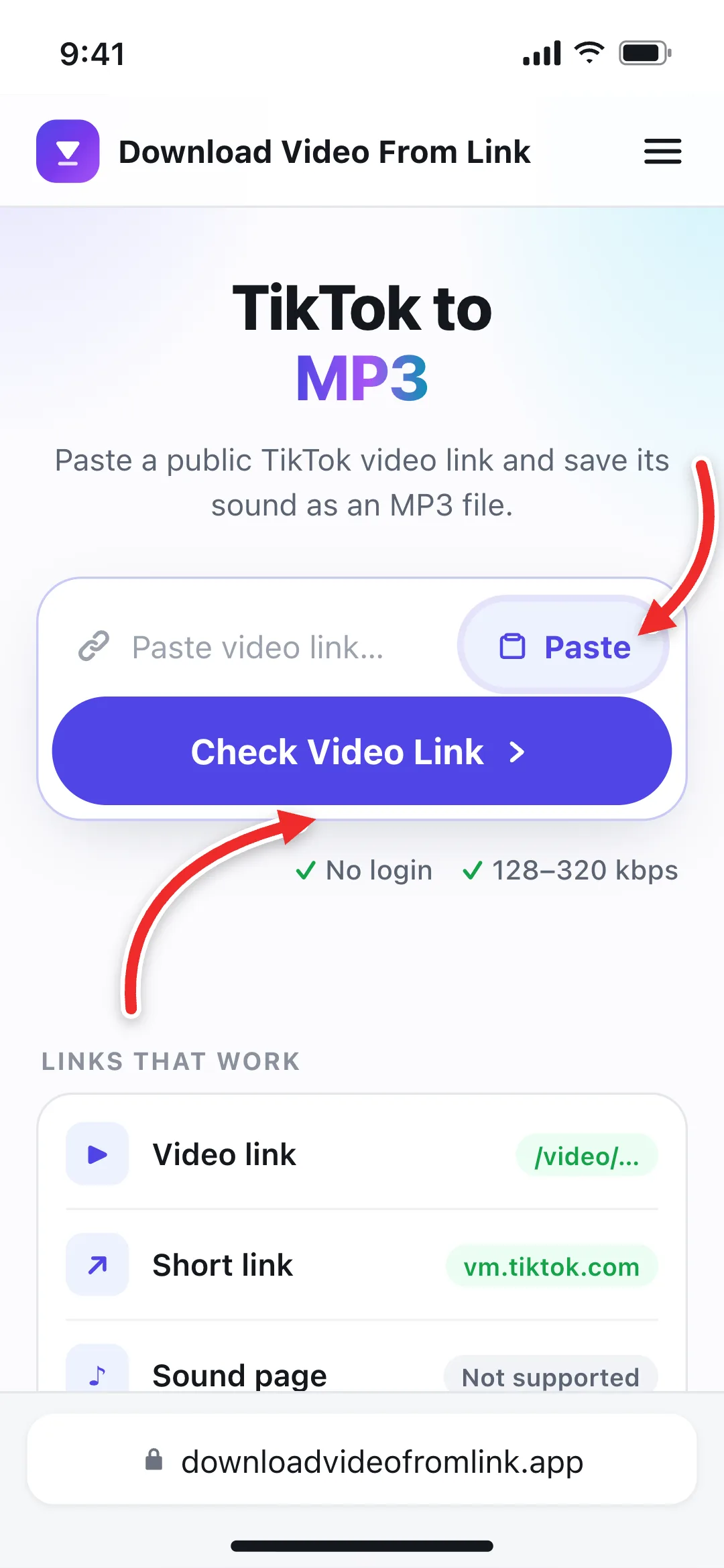
Paste the TikTok link into the box at the top of this page and select Check Video Link, or tap Paste to do both at once.
 3
Download the MP3
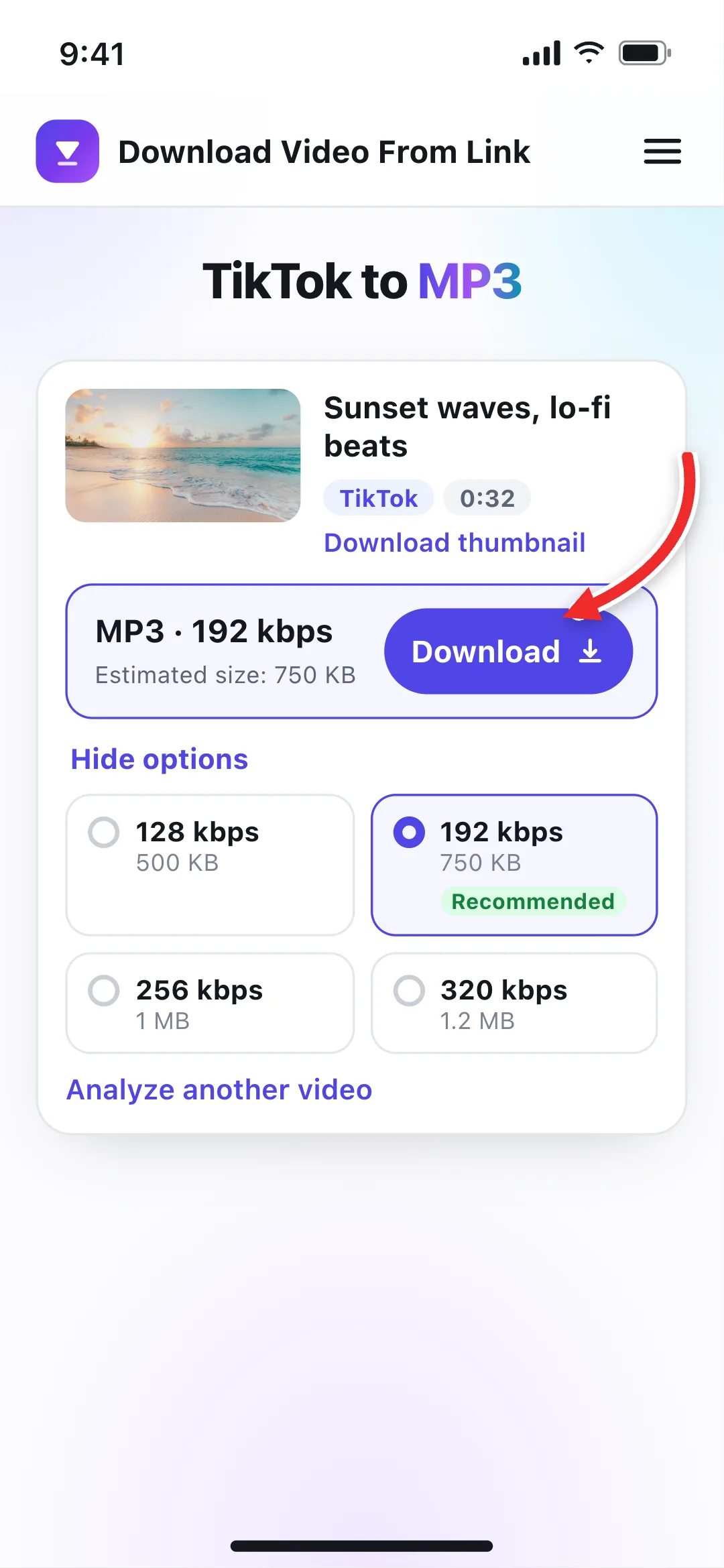
Keep 192 kbps, or open More bitrate options to choose 128, 256 or 320 kbps, then tap Download to save the sound.
How to Download a TikTok Sound When You Only Have the Sound Page
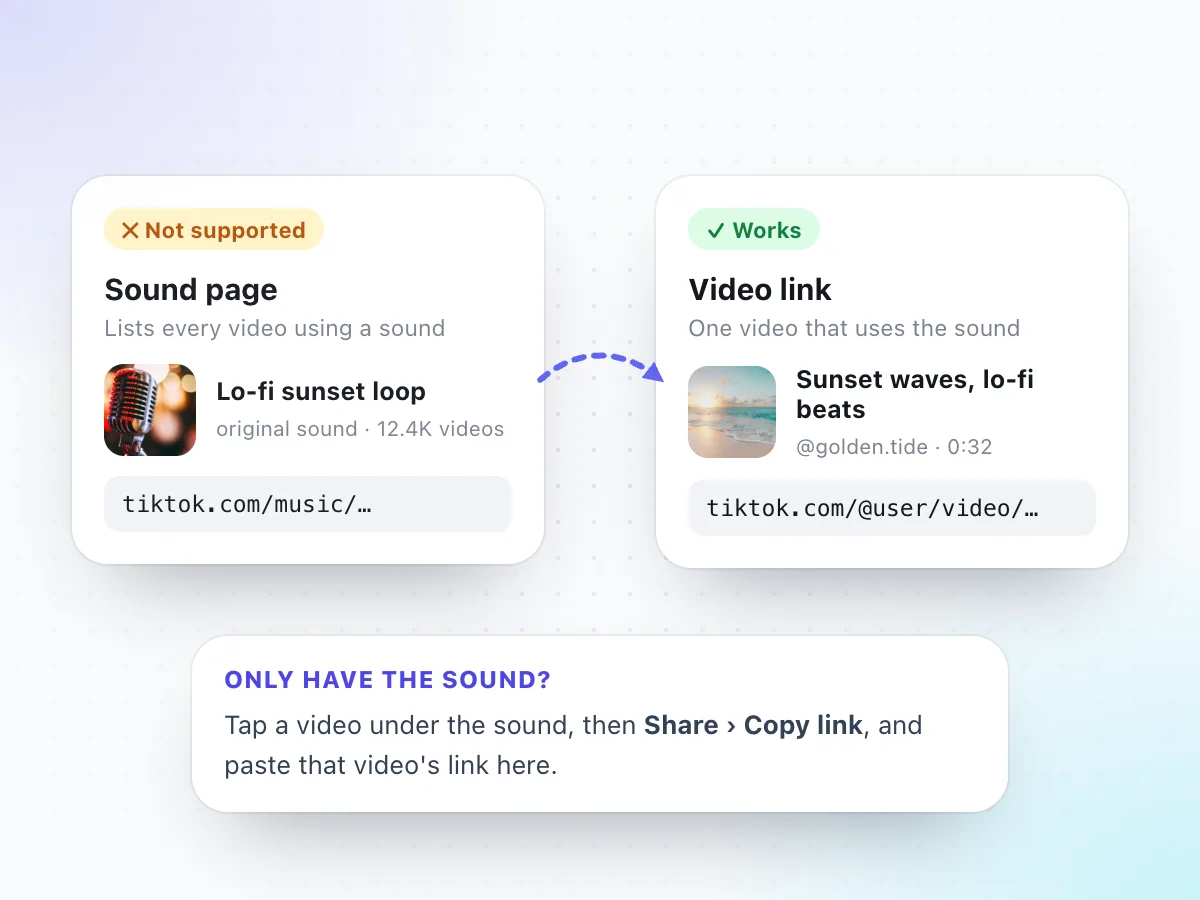
Tapping the spinning record on a TikTok opens its sound page. That page lists every video that uses the sound, but it isn't a file you can save, so a sound link (tiktok.com/music/…) won't work here.
The fix takes ten seconds: on the sound page, tap any video that uses the sound, then tap Share and Copy link. Paste that video's link above and you'll get the sound as an MP3. Choose a video where nobody talks over the track if you want the music on its own.
- Video links: tiktok.com/@user/video/…
- Short links from the app: vm.tiktok.com/… or vt.tiktok.com/…
- Sound pages (tiktok.com/music/…) and profile links
Where to Copy a TikTok Link for MP3
Any public TikTok video has a link. Here is where to find it on each device.
In the TikTok app
Open the video, tap the Share arrow on the right side of the screen, then Copy link.
A working link looks like
- vm.tiktok.com/…
- tiktok.com/@user/video/…
On a computer
Open the video at tiktok.com so it has its own page, then copy the full URL from the address bar.
A working link looks like
- tiktok.com/@user/video/…
From a chat or bio
Links shared in messages or bios work too, as long as they open a single public video.
A working link looks like
- vt.tiktok.com/…
- vm.tiktok.com/…
Extra bits after the ?
Links copied on a computer can end in ?is_from_webapp=1 or similar tracking. You can paste them as they are.
Slideshows don't work
Photo posts with music are a different kind of post. Only regular TikTok videos can be converted to MP3.
Want the video too?
Use the TikTok video downloader to save the full MP4 without a watermark.
TikTok MP3 Quality: Which Bitrate Should You Pick?
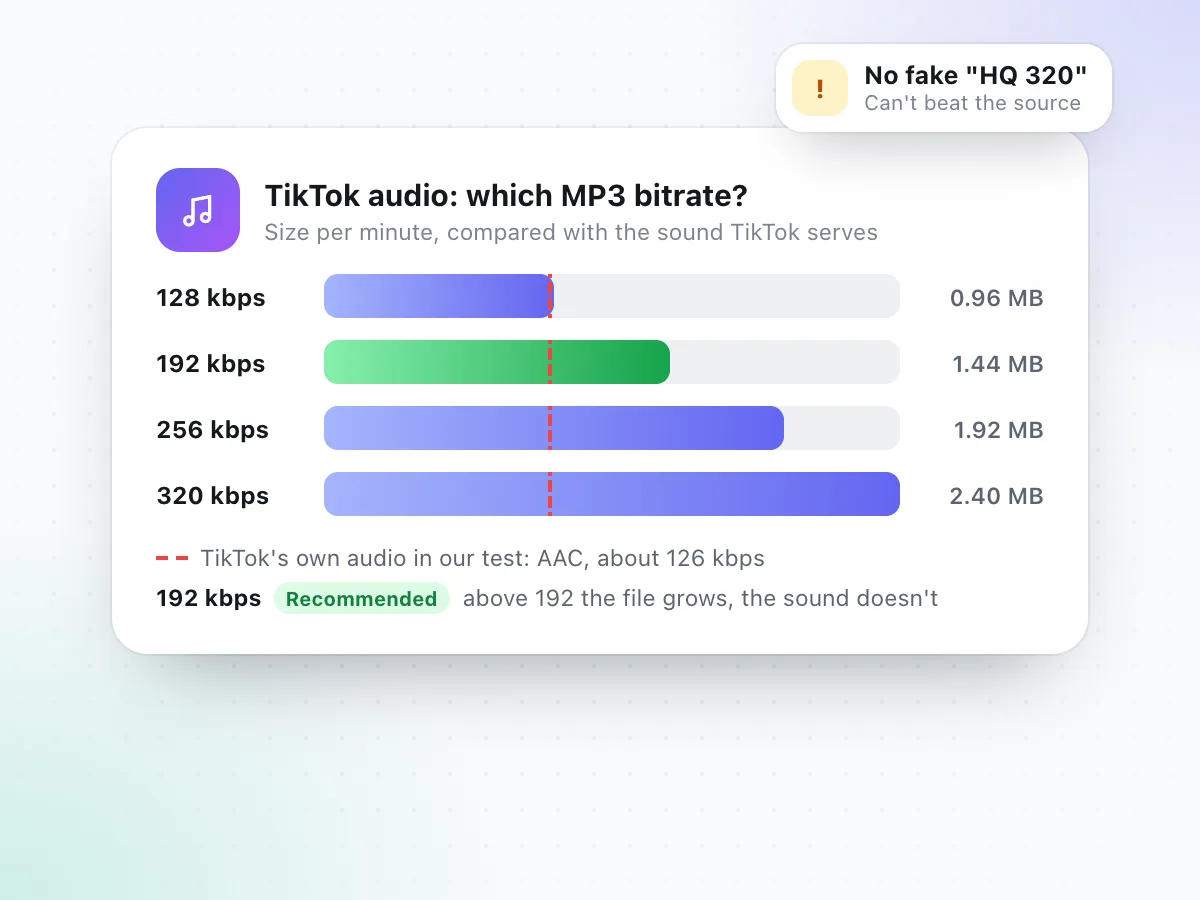
Bitrate is how much data each second of audio gets. Higher numbers make bigger files, but they can only keep detail the original actually has. In our tests TikTok streamed its audio as AAC at about 126 kbps, and our MP3s came out as standard 44.1 kHz stereo files.
| Bitrate | Best for | Per minute |
|---|---|---|
| 128 kbps | Voiceovers, talking clips, podcasts | about 0.96 MB |
| 192 kbpsRecommended | Songs and sounds from most TikToks | about 1.44 MB |
| 256 kbps | Only if you need a higher-bitrate file for an app | about 1.92 MB |
| 320 kbps | Largest file; won't sound better than the TikTok | about 2.40 MB |
A 10.5-second TikTok we tested came out at 169 KB as a 128 kbps MP3 and 422 KB at 320 kbps. Both sound the same, because both hold everything TikTok sent. That's why 192 kbps is our pick: a little headroom, without paying for empty bytes. More on formats in MP4 vs MP3.
Download TikTok Audio for Songs, Voiceovers and More
One TikTok link gives you its whole soundtrack as an MP3. Here is what people use it for, and the tools that pair with it.
Save a Song Snippet or Original Sound
WorksHeard a sound on repeat in your feed? Convert the TikTok to MP3 and keep it in your music app, so you can find it again or look up the full track later.
- The audio exactly as it plays in the video
- Plays in any music app, car or speaker
- Music and talking can't be separated
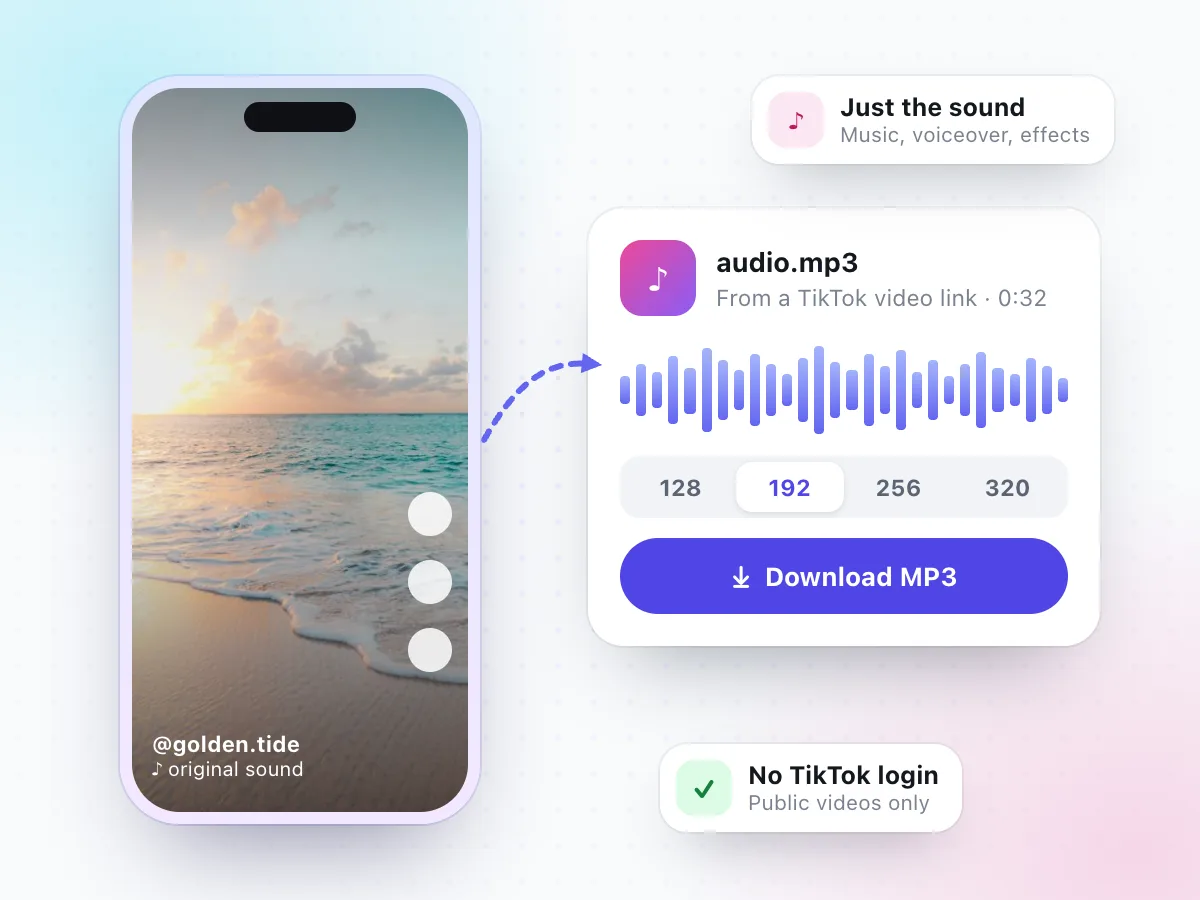
Talking TikToks work well as audio: recipes, language tips, workout cues or a friend's message. 128 kbps is plenty for speech. To keep only part of a video, cut it first with the video trimmer.
- 128 kbps keeps speech clear at the smallest size
- Trim a clip first, then grab its sound
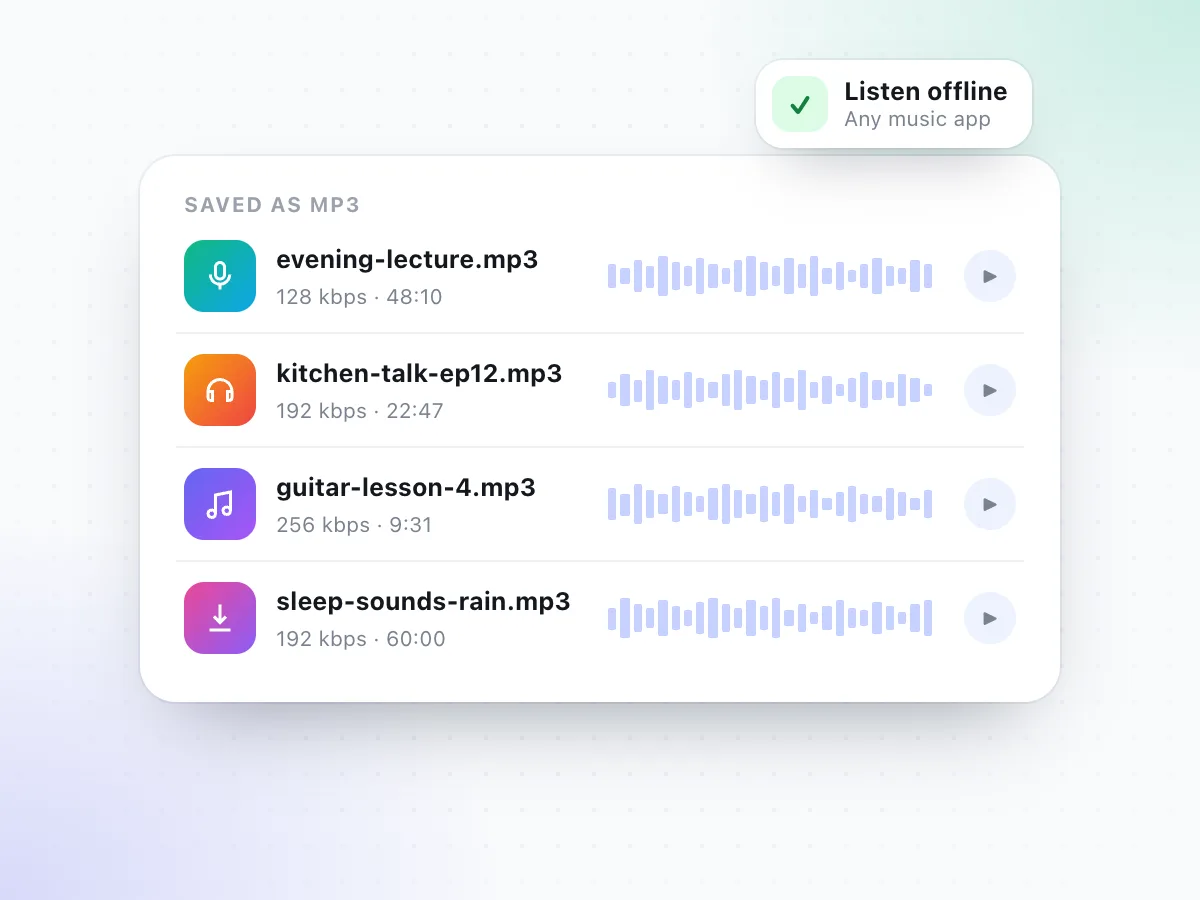
- Listen offline, with the screen off
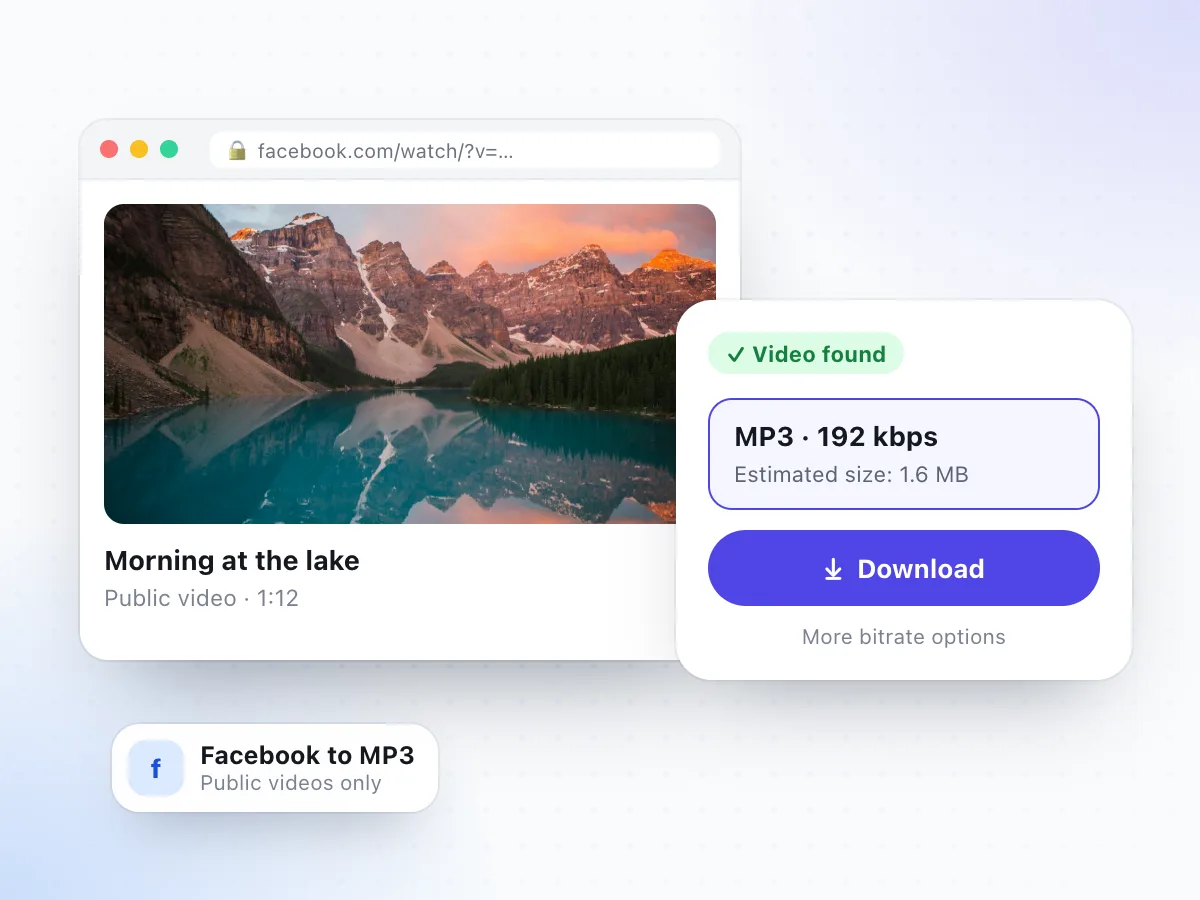
The same converter handles public Instagram Reels and many public Facebook videos. Use the general video to MP3 converter for those, or keep the full TikTok as an MP4 instead.
- Facebook and Instagram audio on the video to MP3 page
- TikTok MP4 without watermark on the TikTok page
- Reels with no sound have no audio to save
TikTok to MP3 Converter vs. Other Ways to Keep a Sound
TikTok lets you favourite a sound, but that keeps it inside the app. Here is how the options compare.
| Feature | This converter | Add to Favorites | Screen recording | Converter apps |
|---|---|---|---|---|
| An MP3 file you keep | Yes | No, stays in TikTok | No, a video file | Usually |
| Sound quality | As TikTok serves it | In-app playback | Re-recorded, can lose quality | Varies |
| Install needed | None | TikTok app | None | An app, often with ads |
| TikTok login | Never | Required | Required to view | Sometimes asked |
| Plays outside TikTok | Anywhere | No | As a video | Yes |
Favouriting is the right choice when you only want to use a sound in your own TikTok. A converter is for when you need the audio as a file outside the app.
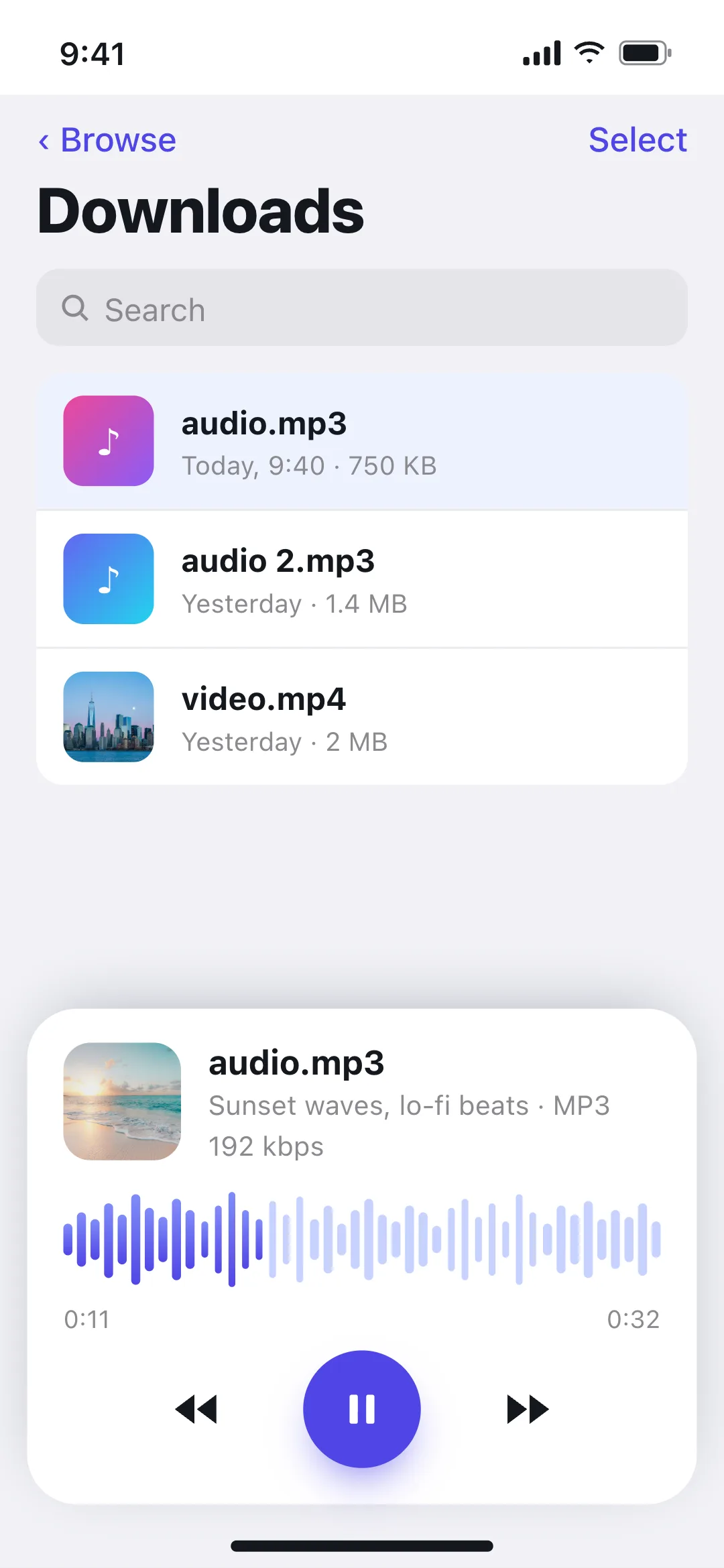
Download TikTok Audio on iPhone, Android or PC
The TikTok MP3 downloader works the same in Safari, Chrome, Edge or Firefox. The only difference is where the file ends up, and what you can do with it next.
Every download is named audio.mp3, so rename it to something you'll recognise, like the song or the creator's name, before you save more than one.
iPhone
Copy the TikTok link, open this page in Safari, paste it and tap Download. Open the file from Files to play it. Turning it into a ringtone usually needs GarageBand or a computer.
Saved to: Files app › Downloads
Android
Copy the link, open this page in Chrome, paste it and tap Download. The MP3 usually shows up in your music or files app, and many phones let you pick it as a ringtone.
Saved to: Downloads folder
PC and Mac
Open the TikTok at tiktok.com, copy the URL from the address bar, paste it above and click Download. Drag the MP3 into your music library or editor.
Saved to: Your browser's Downloads folder
TikTok to MP3 Not Working? Common Fixes
The usual reasons a TikTok won't convert, and what to do. For anything else, read why a video download is not working.
You pasted a sound link
Links with /music/ open a sound page, not a video. Open a video that uses the sound and copy its link instead.
"We couldn't process this link"
TikTok sometimes returns a page that can't be read. Wait a few seconds and try again; it usually works on a second try.
It's a photo slideshow
Slideshows with music aren't supported. Only regular TikTok videos can be converted.
The account is private
Only public videos work. Friends-only and private TikToks stay private.
The MP3 has talking over the song
The MP3 matches the video's sound exactly. Pick a different video that uses the same sound without a voiceover.
Nothing happens on iPhone
Use Safari, then check Files › Downloads. Safari saves files there even when no prompt appears.
Why Use This TikTok MP3 Downloader
A short list, and every point is something we tested.
Honest bitrate advice
We tell you 192 kbps is enough for TikTok audio, instead of selling a "320 kbps HQ" file that only looks better on paper.
Size shown first
Each bitrate shows its estimated file size before you tap Download, so there are no surprises on mobile data.
No TikTok login
We never ask for your TikTok account. The audio comes from the public video, not from your profile.
Nothing to install
A web-based TikTok audio downloader. No app, no browser extension and no desktop software.
Standard MP3 files
44.1 kHz stereo MP3s that play in any music app, editor, car stereo or phone.
Clear about limits
Sound pages, slideshows and private videos don't work, and this page says so instead of failing quietly.
TikTok to MP3 FAQ
How do I convert a TikTok to MP3?
Open the TikTok, tap Share and choose Copy link. Paste the link into the box at the top of this page and select Check Video Link. When the video is found, keep 192 kbps or pick another bitrate, then tap Download. The sound saves as an MP3 file.
Is this TikTok MP3 downloader free?
Yes. There is no charge, no account and no app to install. It works in the browser on iPhone, Android, Windows and Mac.
Can I download a TikTok sound from the sound page?
Not directly. A sound page (tiktok.com/music/…) is a list of videos, not a file. Open any video that uses the sound, copy that video's link and paste it here. The MP3 will contain the audio of that video.
What MP3 quality should I choose for TikTok audio?
192 kbps. In our tests TikTok served its audio as AAC at about 126 kbps, so 192 kbps keeps everything that is there. 256 and 320 kbps make the file bigger without making it sound better, because a converter can't add detail the original never had.
Can I get only the song, without the voiceover?
No. The MP3 contains exactly what you hear in the video: the song or original sound plus any talking or effects mixed in. We don't split vocals and music. For a clean song, pick a video that uses the sound without anyone speaking over it.
Where does the MP3 go on iPhone and Android?
On iPhone, Safari saves it to the Files app under Downloads. On Android it goes to the Downloads folder and usually appears in your music or files app. On a computer it lands in your browser's Downloads folder. The file is named audio.mp3.
Can I use a TikTok sound as a ringtone?
On many Android phones you can pick the MP3 as a ringtone in your sound settings. On iPhone, a downloaded MP3 can't be set as a ringtone directly; it usually has to be turned into a ringtone with an app such as GarageBand or added from a computer. Only do this with sounds you're allowed to use.
Can I download audio from private TikToks, slideshows or LIVEs?
No. Only public TikTok videos work. Private accounts, photo slideshows, Stories and LIVE broadcasts aren't supported.
Do I need to log in to TikTok or install an app?
No and no. We never ask for your TikTok login, and the converter runs in your browser. Avoid any site or app that asks for your TikTok password to download audio.
Is it legal to download TikTok sounds?
It depends on the sound and how you use it. Music on TikTok is usually licensed for use inside TikTok only, so don't re-upload songs or use them in your own content without permission. Saving your own sounds, or audio you have permission to keep, is the safe case.
Need the video as well? Use the TikTok video downloader. For other links try the video to MP3 converter or cut a clip first with the video trimmer.
Have a TikTok link?
Paste it at the top of the page and download the sound as an MP3 in a few seconds.
Convert TikTok to MP3