Instagram Photo Downloader
Download Instagram photos from a post link. Paste a public post URL and save each picture as a full-size JPG, including every slide of a carousel, on your phone or computer. Free, with no app and no login.
- Full-size JPG
- Every carousel slide
- No Instagram login
- Free
Only save photos you own or have permission to keep. Not affiliated with Instagram or Meta.
How to Download Instagram Photos in 3 Steps
Copy the post's link, paste it here and save the photos you want. It works the same in the Instagram app and on instagram.com in a browser.
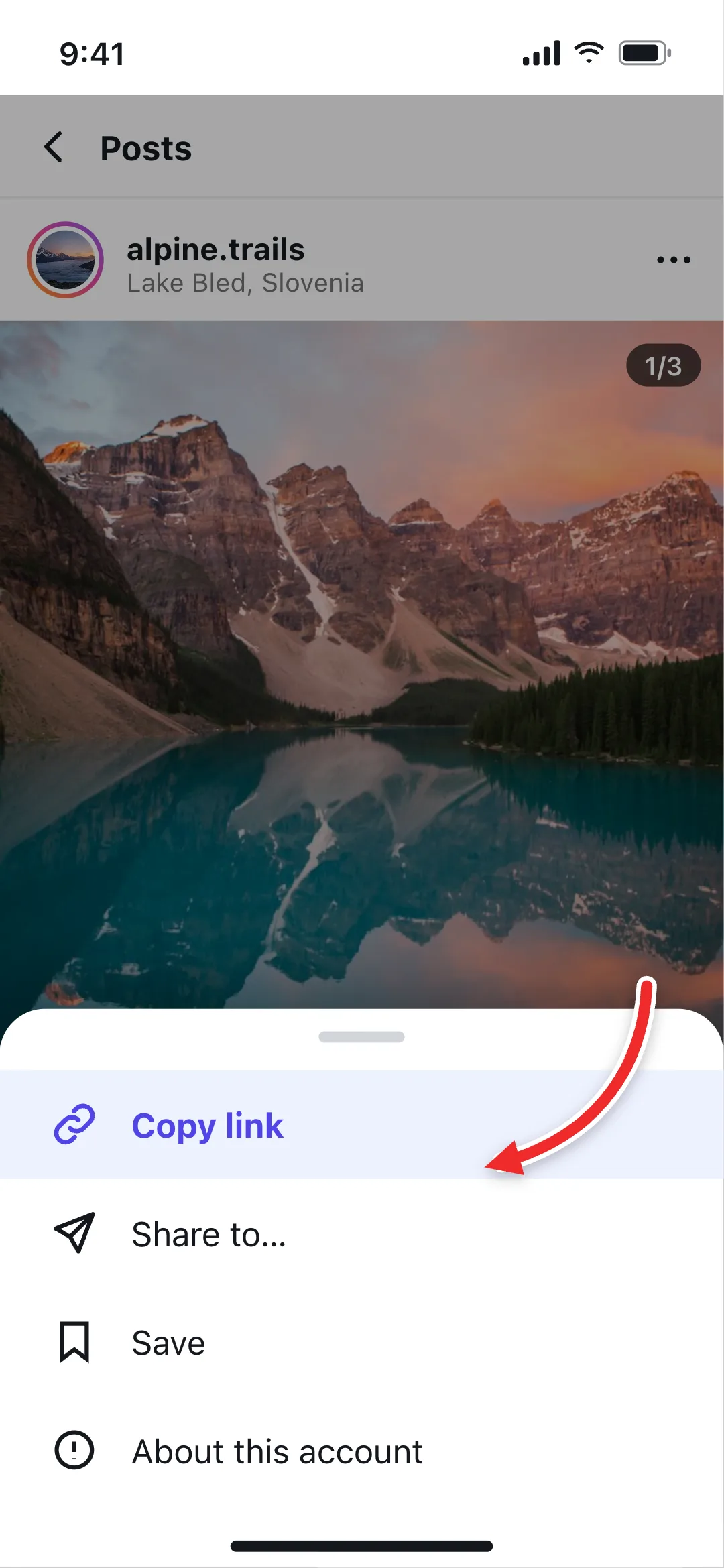 1
Copy the Post Link
In the Instagram app, tap the three dots above the post or the share button below it, then Copy link. On a computer, copy the URL from the address bar.
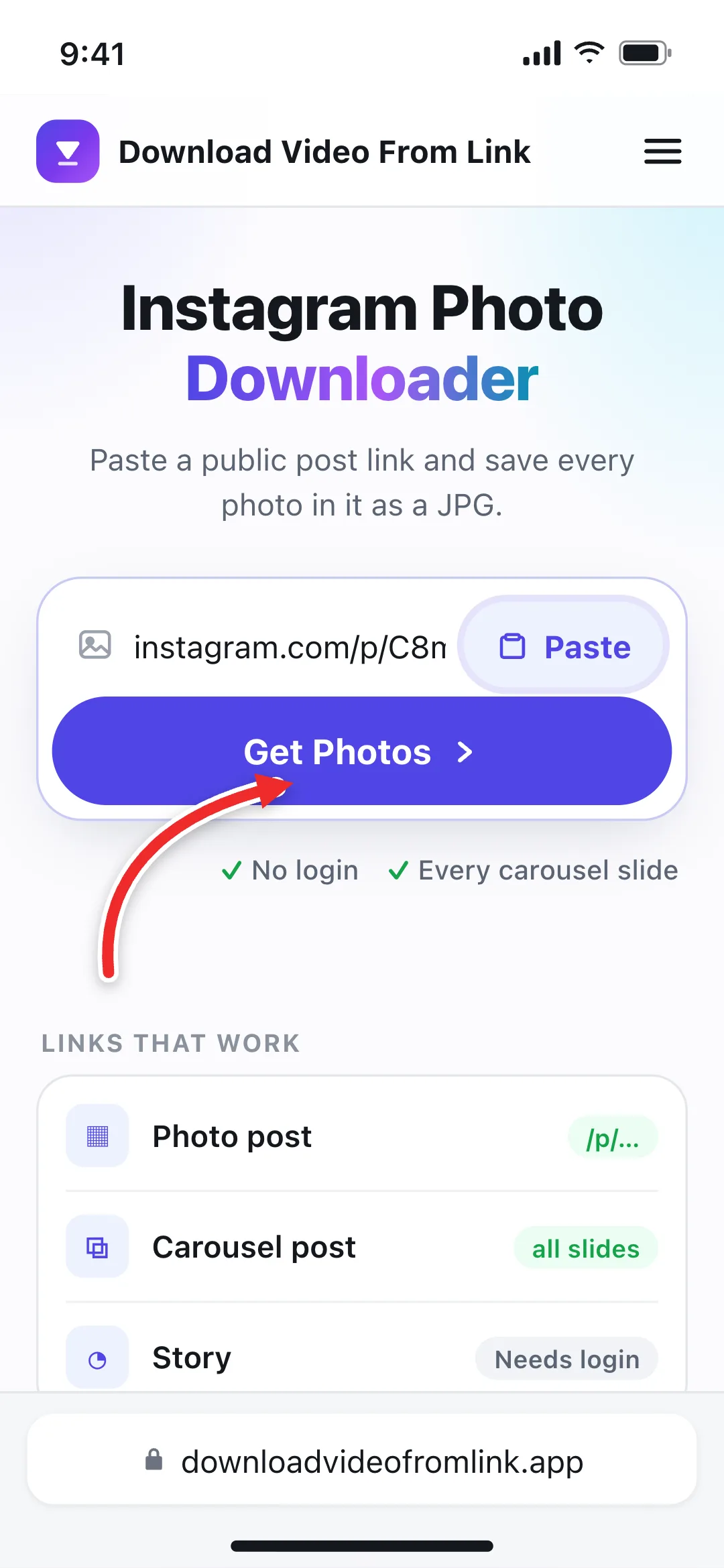 2
Paste and Get Photos
Paste the link into the box at the top of this page and select Get Photos, or tap Paste to fill the box and check the link in one go.
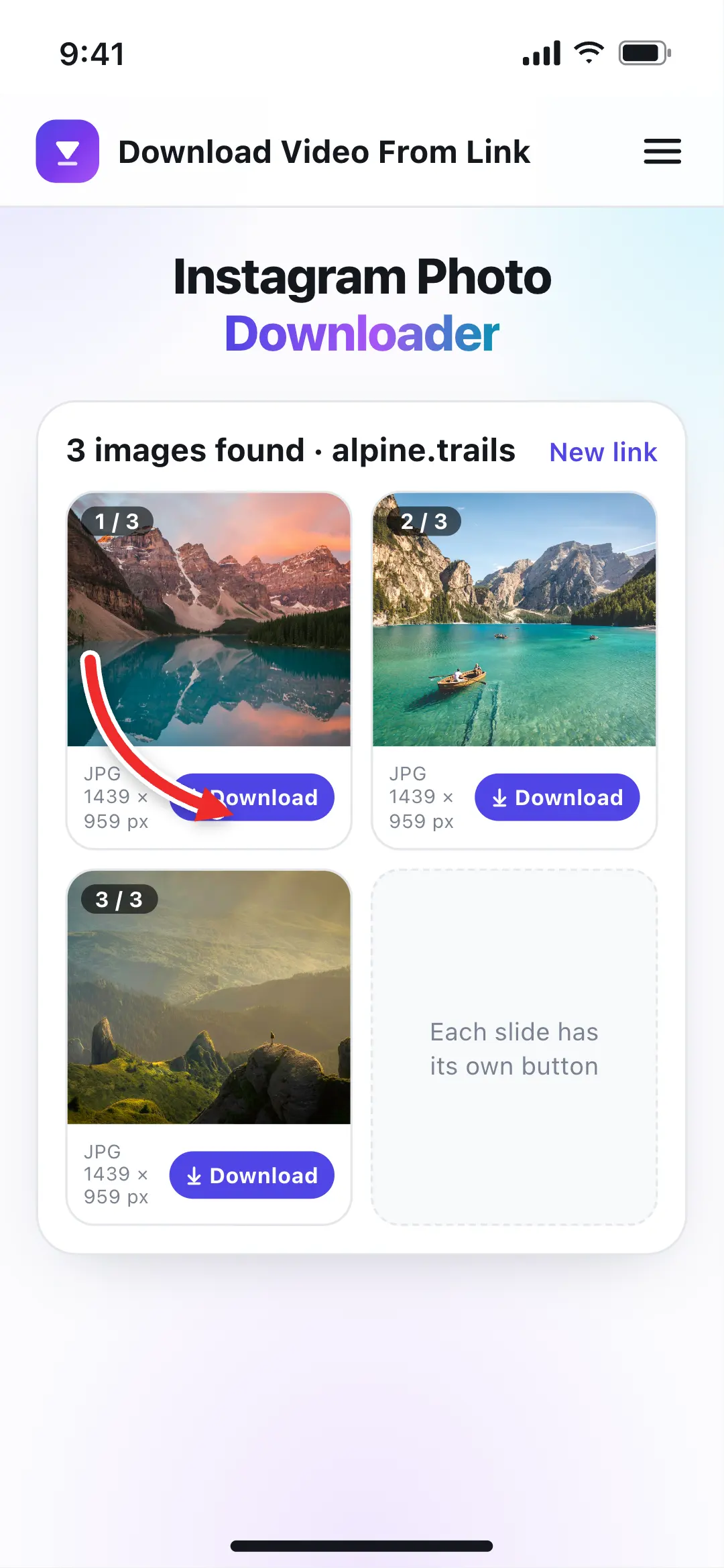 3
Download Each Photo
Every photo in the post appears with its pixel size. Tap Download under the ones you want and each saves as a separate JPG.
What This Instagram Image Downloader Saves
One public post link gives you its photos as files you keep. Here is exactly what you get, and where the limits are.
Instagram Carousel Downloader
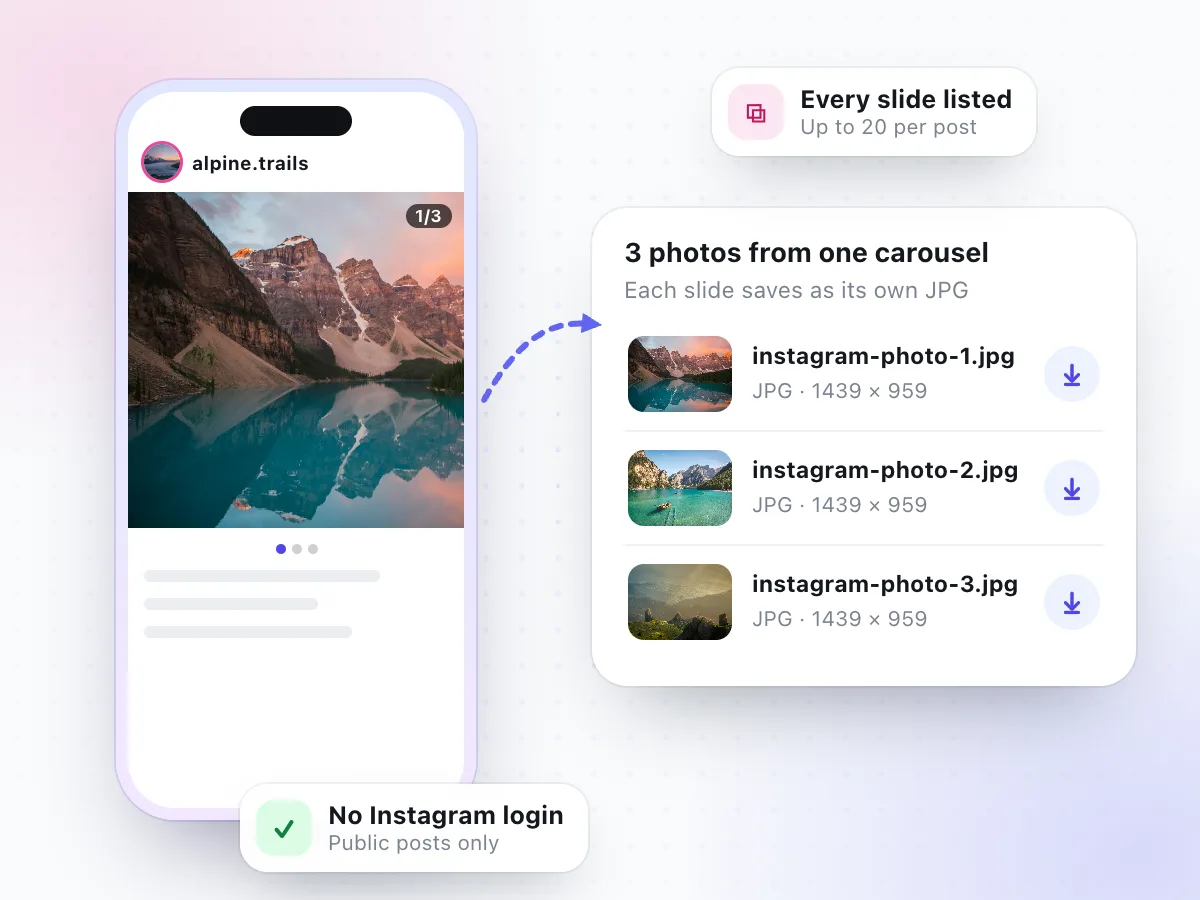
WorksCarousels are the posts you swipe through. Paste the link once and the downloader lists every slide in order, so you can save one photo or all of them without screenshotting each frame. A three-photo carousel we tested came back as three JPGs, numbered to match the slides.
- Up to 20 slides listed per post
- Files named instagram-photo-1.jpg, -2.jpg and so on
- No zip file: each photo has its own Download button
Full-Size Photos, Not Thumbnails
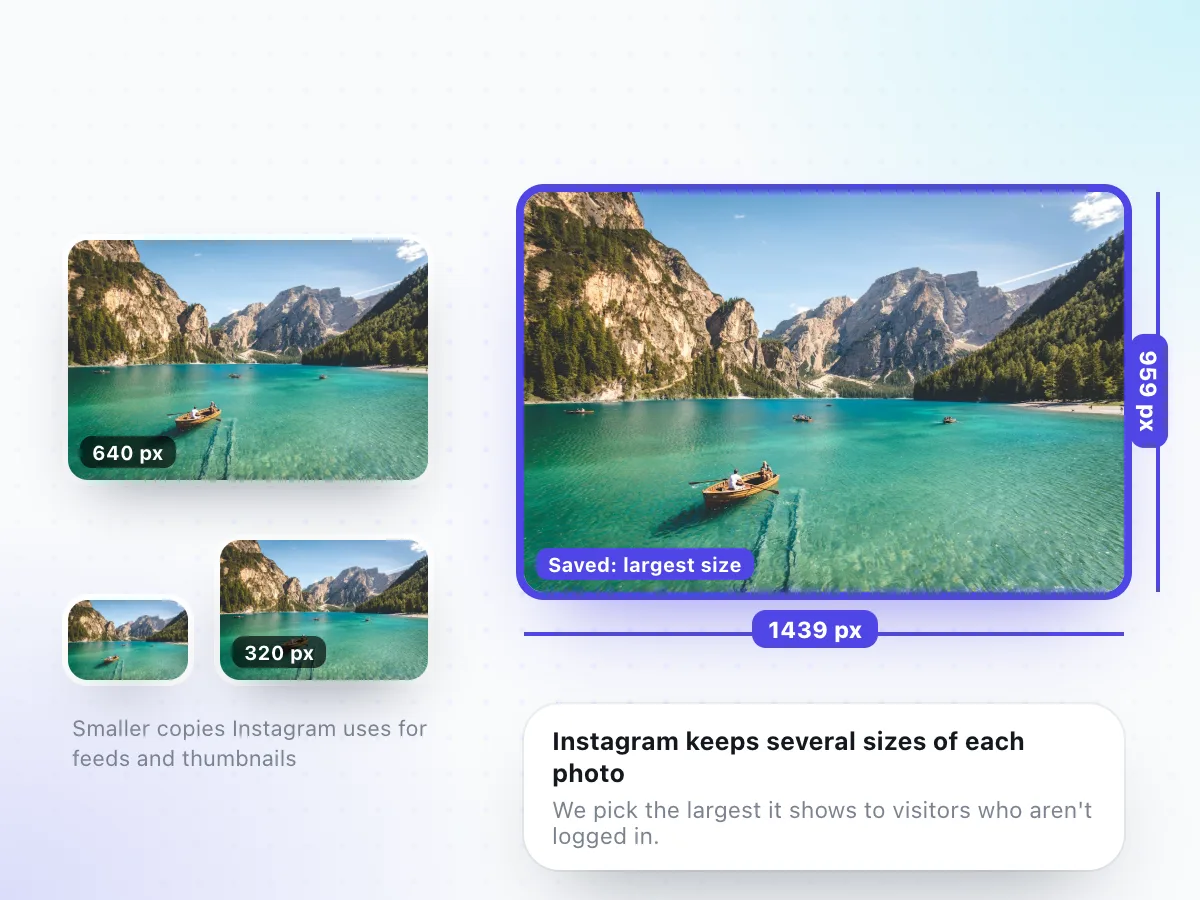
Instagram keeps several copies of every photo, from small squares for the profile grid up to a large version for full-screen viewing. The downloader picks the largest copy Instagram shows to visitors who aren't logged in. For a recent landscape photo, that was 1439 x 959 pixels.
- Largest logged-out size, not a cropped grid square
- Real width and height shown under each preview
- Older posts can be smaller (a 2019 post was 584 x 584)
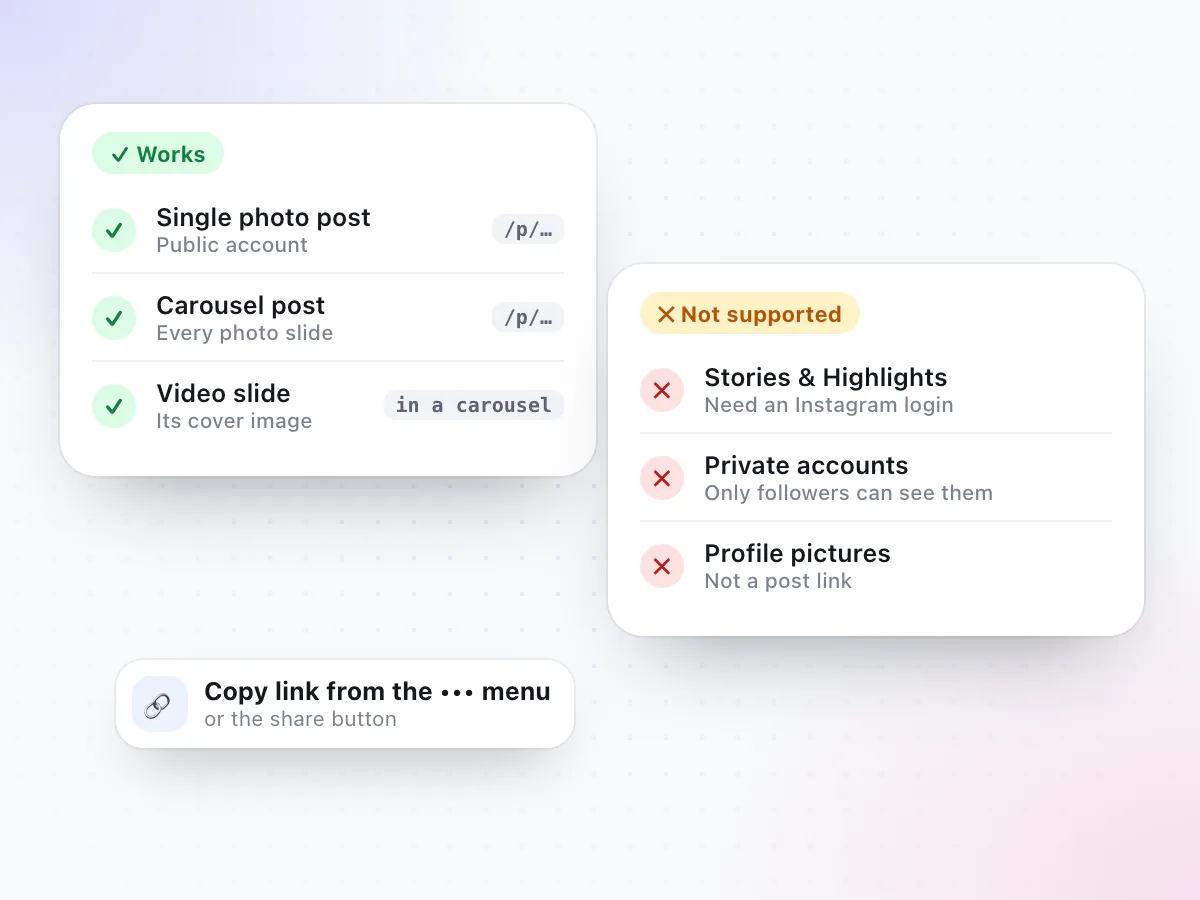
Any public post works, whether it holds one photo or a mix of photos and videos. In a mixed carousel, video slides are marked Video and show their cover image. To save the video itself as an MP4, open the Instagram video downloader instead.
- Single-photo posts and carousels from public accounts
- A video slide's cover image, as a picture
- Stories, Highlights, private accounts and profile pictures
Where to Copy an Instagram Post Link
Every public post has its own link. Here is where to find it, depending on how you're browsing Instagram.
In the Instagram app
Tap the three dots in the top corner of the post, or the paper-plane share button under it, then choose Copy link.
A working link looks like
- instagram.com/p/…
On a computer
Click the post so it opens on its own page (or click its date), then copy the full address from the browser bar.
A working link looks like
- instagram.com/p/…
From a chat or message
A post link someone sent you works too, as long as the account that posted it is public.
A working link looks like
- instagram.com/p/…?igsh=…
Extra text after the ?
Copied links often end in ?igsh= or ?utm_source=. You can paste them exactly as they are.
A profile link won't work
instagram.com/username opens a whole profile, not a post. Open the photo first, then copy that post's link.
Got a Reel instead?
Reels are videos. Save them with the Instagram video downloader as MP4 or MP3.
Instagram Photo Quality: What Size Will I Get?
Instagram resizes every upload. A photo taken on a modern phone might be 4,000 pixels wide or more, but Instagram stores smaller versions and only hands out those. That means no downloader can give you the camera original; the best any tool can do is the largest version Instagram makes available. Here is what we saw when we tested real public posts:
| Post we tested | Photos | Size saved |
|---|---|---|
| Landscape carousel posted in 2026 | 3 of 3 | 1439 x 959 px JPG |
| Single square photo posted in 2019 | 1 of 1 | 584 x 584 px JPG |
| Video post (a Reel) | 1 slide | Cover image, marked Video |
In other words, a recent post usually comes back noticeably sharper than an old one, because Instagram stored older uploads at lower sizes. Upscaling apps can make a small photo bigger, but they guess at detail rather than restore it, so we don't offer fake "HD" versions. What you see in the pixel count under each preview is what you get.
Photos save as JPG, the format Instagram uses. JPGs open everywhere, from the iPhone Photos app and Google Photos to Windows Photos, Preview on Mac, Canva and Photoshop.
Ways to Save an Instagram Photo, Compared
Instagram's own Save button keeps a post inside the app. Here is how the common options stack up when you want the photo as a file.
| Feature | This downloader | Instagram's Save | Screenshot | Downloader apps |
|---|---|---|---|---|
| A file you keep | Yes, a JPG | No, stays in the app | Yes, a screenshot | Usually |
| Image quality | Largest size Instagram serves | In-app only | Screen size, with app bars | Varies |
| Whole carousel | Every slide from one link | Saves the post | One screenshot per slide | Sometimes |
| Instagram login | Never | Required | Required to view | Often asked |
| Install needed | None | Instagram app | None | An app, often with ads |
Saving in the app is fine for a reading list. For a backup of your own posts, Instagram also lets you request a copy of your data from Accounts Center. A photo downloader is for when you want one specific public post as an image file, right now.
Save Instagram Photos on iPhone, Android or PC
The Instagram photo downloader runs in your browser, so it works on any phone, tablet or computer. The steps are the same everywhere; only the folder the photo lands in changes.
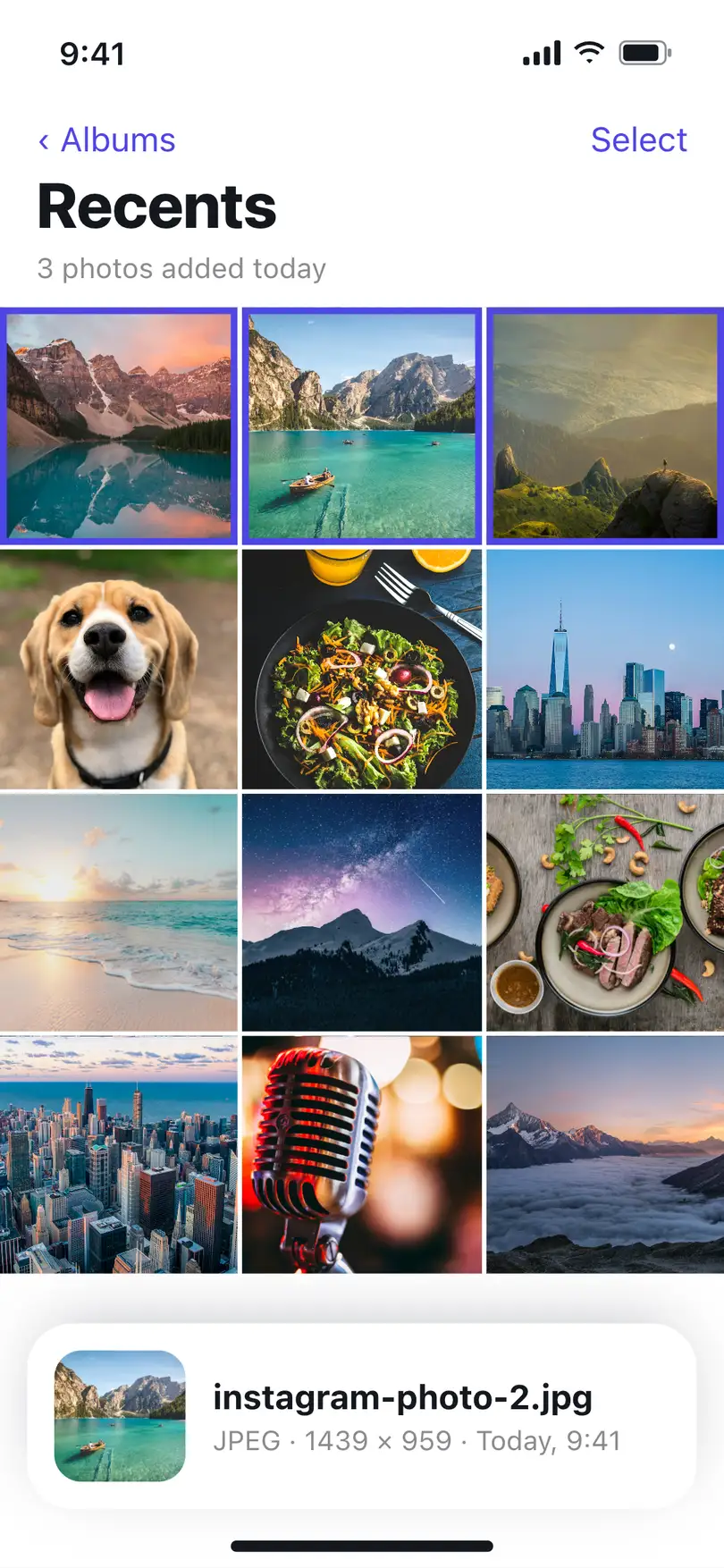
Downloads are numbered by slide: instagram-photo-1.jpg is the first photo in the post. If you save photos from several posts, rename them as you go so they don't end up as instagram-photo-1 (2).jpg.
iPhone
Copy the post link, open this page in Safari, paste it and tap Download under a photo. Open the file in Files, tap Share, then Save Image to add it to your Photos library.
Saved to: Files app › Downloads
Android
Copy the link, open this page in Chrome, paste it and tap Download. The JPG lands in Downloads and usually shows up in your gallery or Google Photos.
Saved to: Downloads folder
PC and Mac
Open the post at instagram.com, copy the URL from the address bar, paste it above and click Download under each photo you want.
Saved to: Your browser's Downloads folder
Instagram Photo Download Not Working? Common Fixes
The usual reasons a post won't load, and what to do about each. For anything else, read why a video download is not working.
The account is private
Only public posts can be read. Photos from private accounts stay visible to approved followers only.
You pasted a Story link
Stories and Highlights need an Instagram login to view, so they can't be downloaded here.
You pasted a profile link
A link like instagram.com/username is a whole profile. Open the photo and copy that post's link.
The photo looks small
Older posts were stored at lower sizes. The pixel count under the preview is the largest Instagram serves.
Download says the link expired
Instagram's image links stop working after a while. Paste the post link again and download straight away.
Nothing happens on iPhone
Use Safari, then look in Files › Downloads. Safari saves files there even when no prompt appears.
Why Use This Instagram Photo Downloader
A short list, and every point is something we tested.
Every slide, one link
Paste a carousel once and see all its photos side by side, up to 20 per post, instead of hunting for each image.
Pixel size shown first
Each preview shows its real width and height, so you know what you're saving before you tap Download.
No Instagram login
We never ask for your account. Photos come from the public post, the same way a logged-out visitor sees it.
Plain JPG files
Standard JPGs that open in any gallery, editor or printer app, with nothing added on top by us.
Nothing to install
An online Instagram image downloader that runs in Safari, Chrome, Edge or Firefox. No app, no extension.
Honest about limits
Stories, private accounts and profile pictures don't work, and the page tells you so instead of failing silently.
Saving Instagram Photos the Right Way
Being able to save an Instagram photo doesn't make it yours. Photographers, artists and brands own the pictures they post, and Instagram's terms still apply after a file is on your device. Good reasons to download Instagram pictures include backing up your own posts, keeping a recipe card, workout plan or infographic for offline reading, or saving a photo a friend shared of you.
If you want to share someone else's photo, the respectful route is Instagram's own share button or asking the creator, and crediting them when you do. Rights holders can reach us through the DMCA page.
Instagram Photo Downloader FAQ
How do I download photos from Instagram?
Open the post, tap the three-dot menu or the share button and choose Copy link. Paste the link into the box at the top of this page and select Get Photos. Every photo in the post appears with its own Download button, and each one saves as a JPG.
Can I download all the photos in an Instagram carousel?
Yes. Paste the carousel's link once and every slide is listed, up to 20 per post. In our test, a three-photo carousel returned all three photos. Each slide has its own Download button; there is no single zip file, so tap the button for each photo you want.
What quality are the downloaded Instagram photos?
You get the largest copy Instagram serves to visitors who aren't logged in. For a recent post we tested, that was a 1439 x 959 pixel JPG. Older posts can be smaller: a single-photo post from 2019 came back at 584 x 584. The exact pixel size shows under each preview before you download.
Do I need an Instagram account or login?
No. The photo downloader works with public posts only and never asks for your Instagram username or password. Be careful with any site or app that does ask for your login to save photos.
Can I download photos from a private Instagram account?
No. Posts from private accounts are only visible to approved followers, and we don't get around that. If the account is private, the link can't be read and you'll see a message saying so.
Can I save Instagram Stories, Highlights or profile pictures?
No. Instagram only shows Stories and Highlights to people who are logged in, so pasting a Story link returns a message that Stories need an Instagram login. Profile pictures aren't posts and aren't supported either.
Does the downloader add a watermark to the photos?
No. We don't add a watermark, logo or border. The JPG is the image Instagram serves for that post. If the creator put text or a logo into the photo itself, that stays, because it's part of the picture.
What happens with videos inside a carousel?
Mixed carousels work. Video slides are shown with a Video label and their cover image, which you can download as a picture. To save the video itself as an MP4, use the Instagram video downloader.
Where do downloaded Instagram photos go on iPhone and Android?
On iPhone, Safari saves the JPG to the Files app under Downloads; open it and tap Share, then Save Image to add it to Photos. On Android, Chrome saves it to the Downloads folder, where your gallery app usually picks it up. Files are named instagram-photo-1.jpg, instagram-photo-2.jpg and so on.
Is it legal to download Instagram photos?
Photos belong to the people who took them. Saving your own posts, or keeping a photo for personal reference, is the safe case. Don't repost, sell or edit someone else's photo without permission, and check Instagram's terms before reusing anything.
Need a Reel or video post instead? Use the Instagram video downloader. To keep only the sound, try the video to MP3 converter, or grab a video's cover with the thumbnail downloader.
Have an Instagram post link?
Paste it at the top of the page and download its photos as JPGs in a few seconds.
Download Instagram photos