Instagram Story Downloader
The honest answer first: Instagram Stories need a login to view, so this site can't download them. Below is how to save your own Stories and Highlights, and the Instagram downloads that do work without an account.
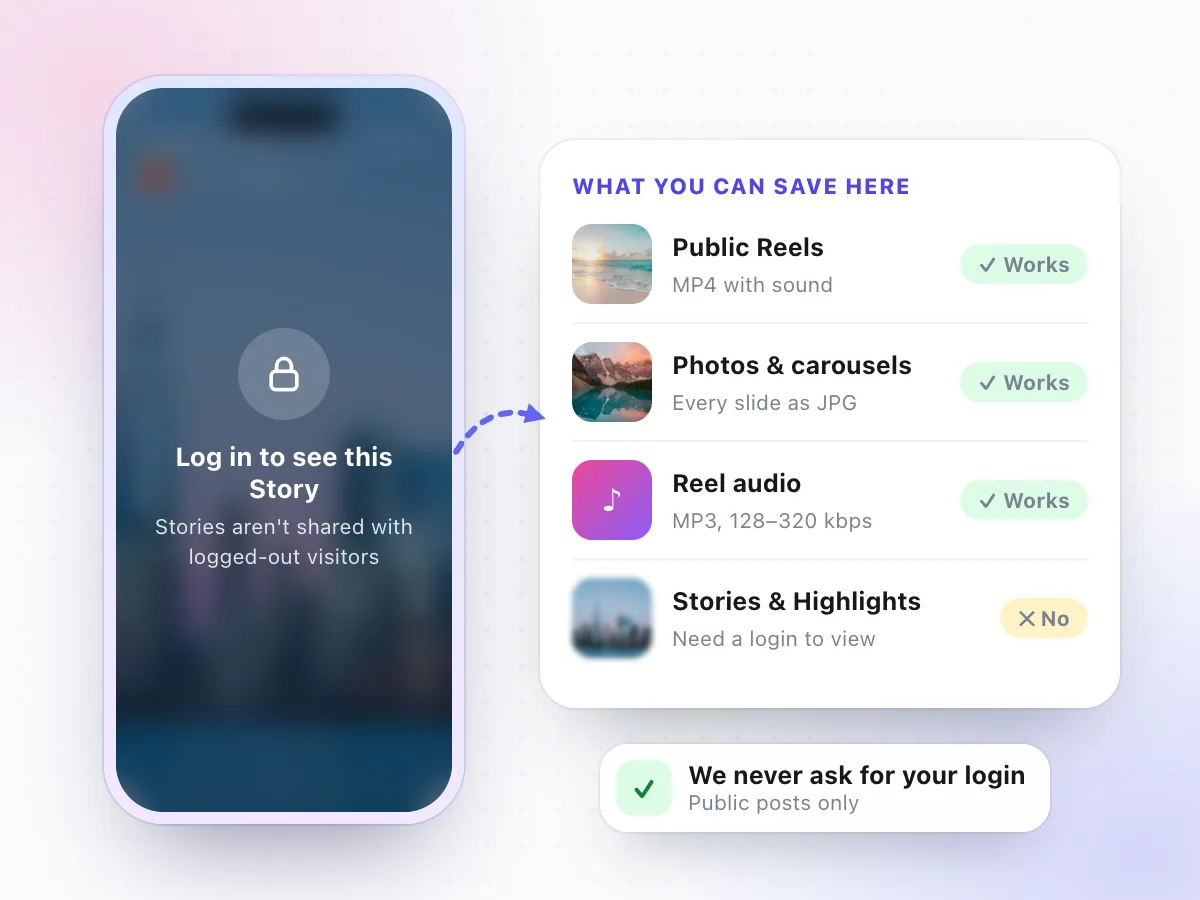
Stories need a login, so we can't download them
We tested Story and Highlight links on November 7, 2026. Without a signed-in account, Instagram refused every one. We never ask for your password, so pasting a Story link here won't work. These do:
Not affiliated with Instagram or Meta. Only save content you own or have permission to keep.
Why No Instagram Story Downloader Works Without a Login
A Reel or a feed post has a permanent web address. Open it in a private browser window and Instagram shows it to you, account or not. That public page is what any downloader reads, ours included.
Stories are built differently. They vanish after 24 hours, the poster can limit who sees them, and Instagram only serves them to people who are signed in. When we requested Story and Highlight links without an account, every single request came back asking for a login. There is no public copy to fetch.
So a site that "downloads any Story" has to be logged in somewhere: with your account, with one it controls, or by collecting Stories some other way. We don't do any of that. If you want a Story you posted yourself, Instagram already gives you the download button, and the next section shows where.
- Public Reels and video posts: open without a login
- Public photo posts and carousels: open without a login
- Stories and Highlights: need a signed-in account
- Private accounts: need a login and an approved follow
How to Download Your Own Instagram Story
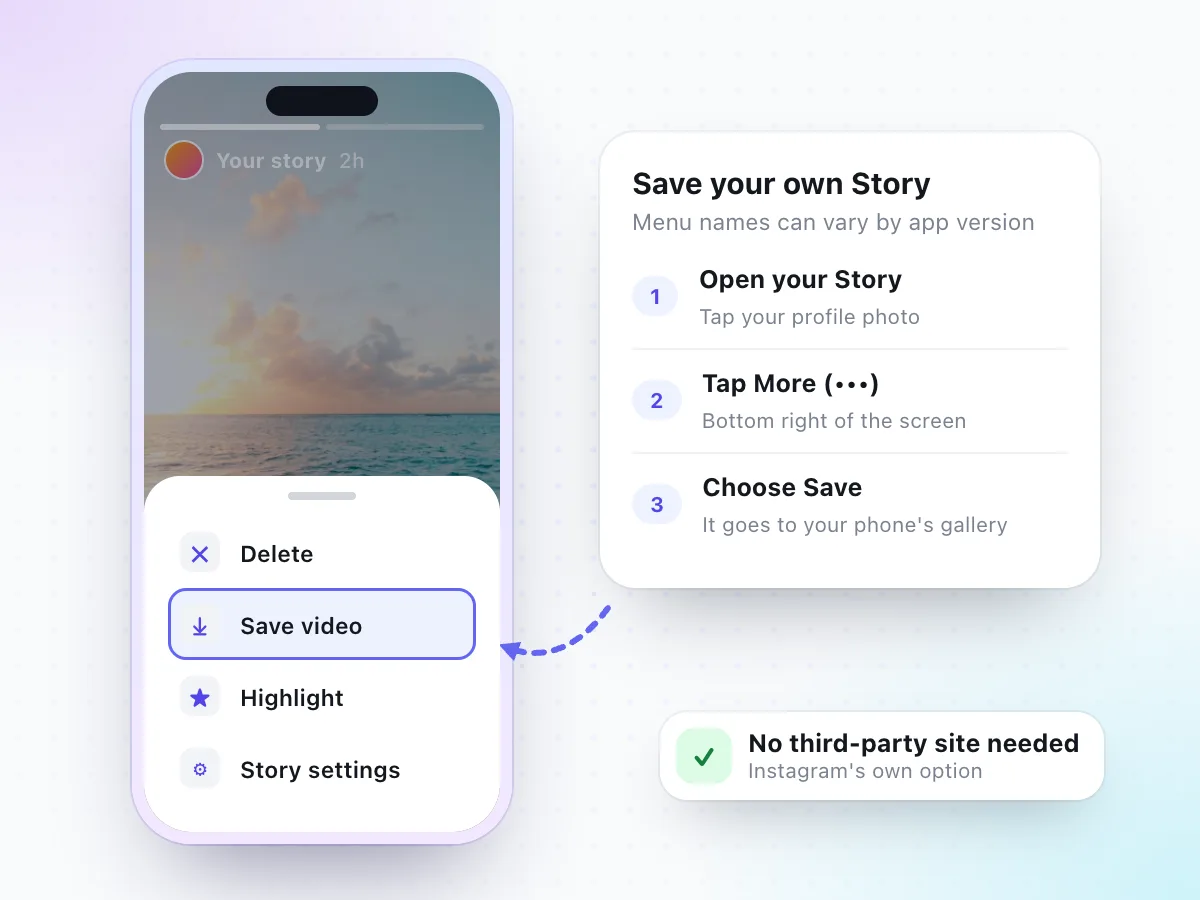
Saving a Story you posted doesn't need any outside tool. Instagram builds it into the app, and the copy comes straight from your account. Menu names can vary by app version, but the path looks like this:
- 1Open your StoryTap your profile photo at the top of the feed, or on your profile, while the Story is still live.
- 2Tap MoreLook for the three dots (•••) in the bottom corner of the Story you want to keep.
- 3Choose SavePick Save, Save video or Save photo. The file goes to your phone's gallery or camera roll.
If your Story has several slides, save each one on its own. Stickers, text and music you added are part of what you see on screen, so check the saved file before you delete anything from the app.
Save Old Stories and Highlights from Your Archive
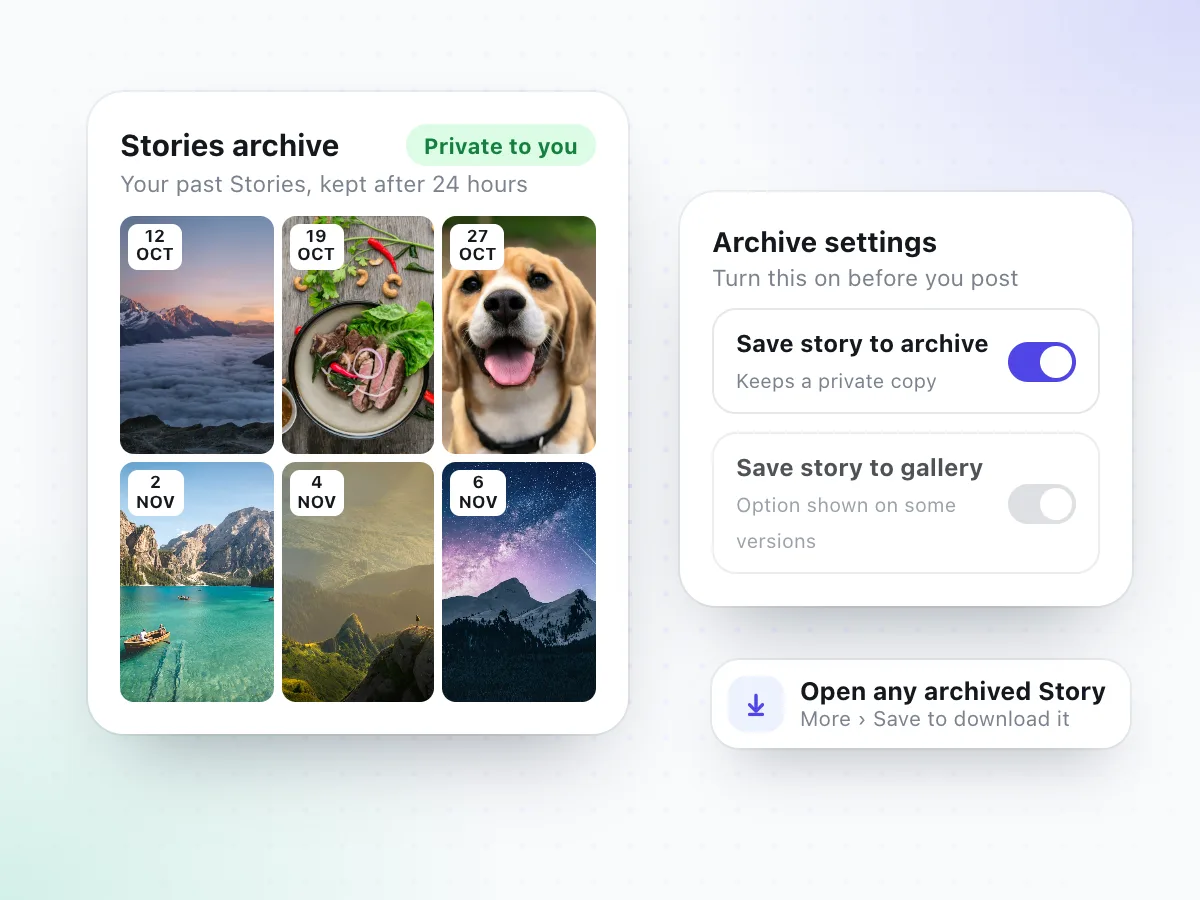
Missed the 24-hour window? If the Stories archive is on, Instagram keeps a private copy of everything you post. Only you can see it. Open your profile, go to the menu, tap Archive and switch the view to Stories. Open any old Story there and use More, then Save, to download it to your phone.
The archive only works going forward, so check it now: in your story settings, make sure "Save story to archive" is turned on. Some versions of the app also offer a setting that saves every Story to your gallery the moment you post it.
Your own Highlights
Highlights are archived Stories pinned to your profile. Open the Highlight, move to the slide you want, tap More and save it. The same file is also in your archive, so you can download it from either place.
Never Lose a Story You Posted: 4 Habits
Most people go looking for an Instagram Story downloader after a Story they cared about has already expired. A minute of setup avoids that.
Keep the archive switched on
With "Save story to archive" on, every Story you post stays available to you after the 24 hours are up.
Shoot with your camera app
Record the photo or video with your phone's camera first, then post it. The untouched original stays in your gallery.
Turn favourites into Highlights
Pin the Stories you want on your profile. You can open and save any slide of your own Highlights later.
Back up your gallery
A saved Story is just a file on your phone. Include it in your usual photo backup so a lost phone doesn't take it with it.
How to Keep Someone Else's Story the Right Way
Stories are short-lived on purpose, and the person who posted one chose that. If you'd like to keep it, these options respect that choice.
Ask for the original
Reply to the Story and ask. The poster has the full-quality photo or video on their phone and can send it in a DM, by email or through any messaging app.
Look for a public Reel or post
Creators often post the same clip as a Reel or a feed post. Those have public links, so you can save them with our Reels or photo downloader.
Reshare instead of saving
If you were tagged, Instagram usually lets you add the Story to your own. Otherwise share it to a friend in a DM, where it stays viewable inside the app.
Whatever you save, the photos and videos still belong to the person who made them. Keep them for yourself and don't repost them without permission.
Anonymous Story Viewers and Downloaders: What to Watch For
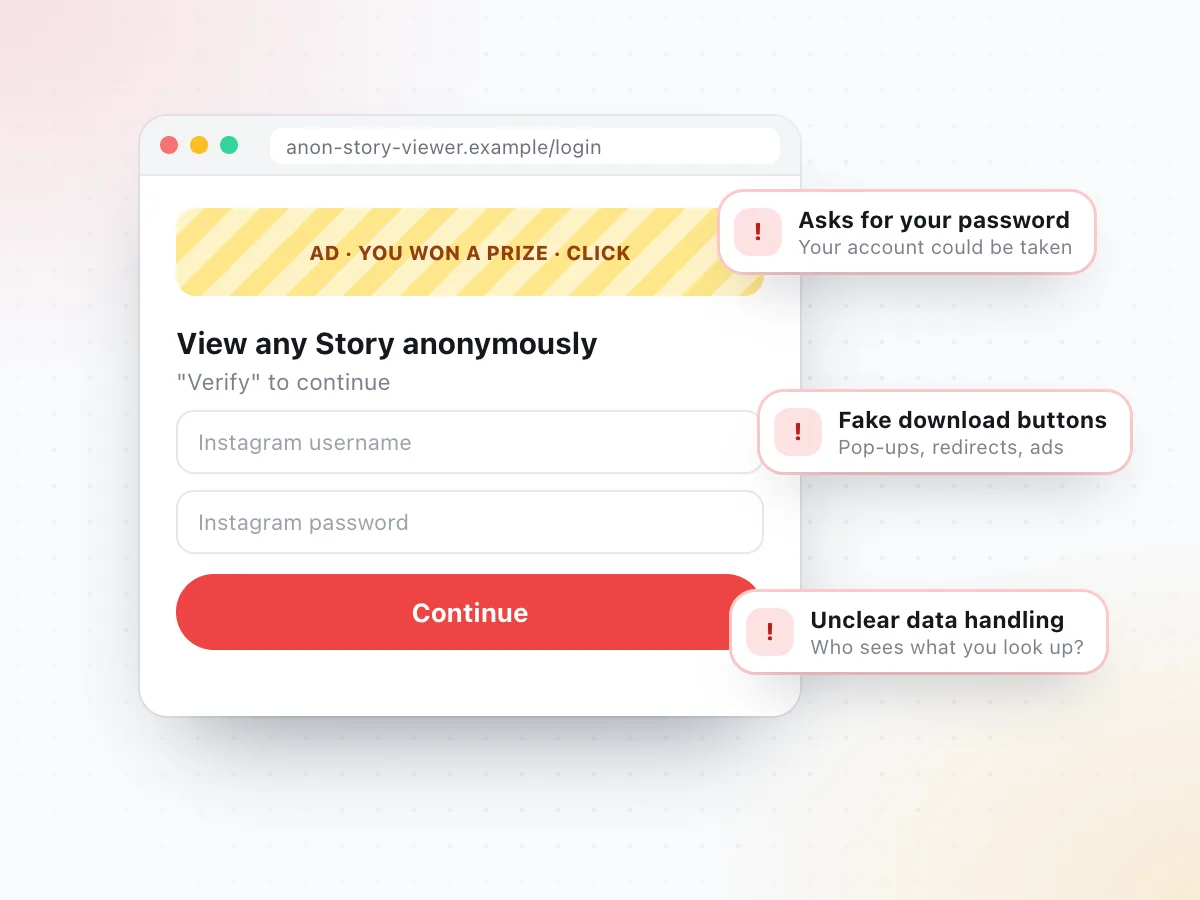
Search for an Instagram Story downloader and you'll find plenty of sites promising to show any Story anonymously. Since Instagram doesn't give Stories to logged-out visitors, it's fair to ask how they get them. Before you paste a username into one, look out for these signs:
- It asks for your Instagram loginNo downloader needs your password. Typing it into a third-party site can lose you your account.
- Download buttons that open adsPop-ups, redirects and "you won a prize" pages are a sign the site is built to show ads, not files.
- Apps or extensions to installSoftware that wants access to your browser or phone can read far more than one Story.
- No word on how it worksIf a site can't explain where the Stories come from, you can't know what it does with your searches either.
There's also the poster to think about. Someone who shares a Story with their followers didn't share it with the whole internet. Our rule is simple: if Instagram shows it to anyone without a login, we can help you save it. If it doesn't, we leave it alone.
Stories vs. Reels vs. Posts: What Can You Download?
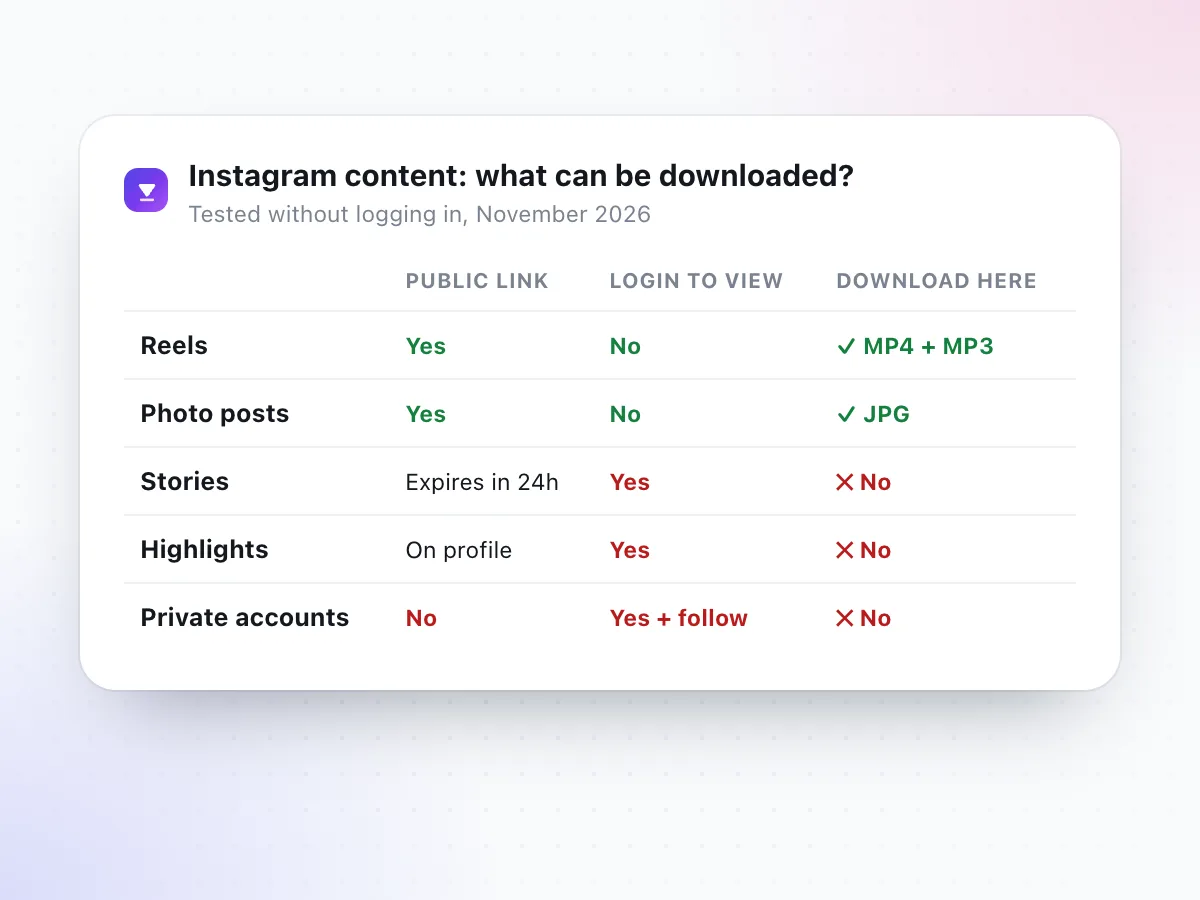
Everything here comes down to one question: does Instagram show it to someone who isn't logged in? Results from our tests on November 7, 2026.
| Content | Public link? | Login to view? | Download here? |
|---|---|---|---|
| Reels and video posts | Yes, permanent | No | Yes: MP4 and MP3 |
| Photo posts and carousels | Yes, permanent | No | Yes: every photo as JPG |
| Stories | Expires after 24 hours | Yes | No |
| Highlights | Pinned to a profile | Yes | No |
| Private accounts | No | Yes, plus an approved follow | No |
Instagram Downloads That Do Work Here
All three work from a public link, in any browser, with no app and no Instagram login.
Instagram Reels
Paste a public Reel link and save the MP4 with sound, no watermark added.
Open the Reels downloader →Photos & carousels
Get every photo from a public post as a full-size JPG, one slide at a time.
Open the Photo downloader →Reel audio
Turn the sound of a public Reel into an MP3 at 128 to 320 kbps.
Open the Audio downloader →Prefer one box for everything? The main Instagram video downloader takes Reel and video post links, and our Instagram video download guide walks through it on iPhone, Android and PC.
Instagram Story Download FAQ
Can I download Instagram Stories on this site?
No. When we tested in November 2026, Instagram only showed Stories and Highlights to people who were logged in, and every request without a login was refused. We don't ask for your password or use anyone's account, so we can't download Stories. Public Reels, photos and Reel audio do work.
How do I download my own Instagram Story?
Open your Story by tapping your profile photo, tap More (the three dots) and choose Save. The Story is saved to your phone's photo gallery. Stories older than 24 hours can be saved the same way from your archive, as long as the archive was turned on when you posted. Menu names can vary by app version.
Where do I find old Stories I posted?
In your Stories archive. Go to your profile, open the menu and look for Archive, then switch the view to Stories. Only you can see it. Stories land there automatically if "Save story to archive" is on in your story settings.
Can I download someone else's Instagram Highlights?
Not with this site. Highlights are Stories pinned to a profile, and Instagram treats them the same way: in our tests they couldn't be opened without a login. The simplest way to get a copy is to ask the person who posted it to send you the photo or video.
Are anonymous Instagram Story viewer sites safe?
Be careful. Instagram doesn't share Stories with logged-out visitors, so these sites have to view them some other way. Some ask for your Instagram password, which can cost you your account, and many are full of pop-ups and fake download buttons. Never type your Instagram login into a third-party site.
Why can a Reel be downloaded but not a Story?
A public Reel has a permanent link that anyone can open without an account, so a downloader can read it the same way a browser does. A Story disappears after 24 hours and Instagram only shows it to logged-in viewers. There is no public page to read.
Can I save a Story that was shared to my DMs?
You can view it in the chat, but a shared Story still opens inside Instagram and needs your login, so this site can't download it. If you'd like a copy, ask the sender for the original file. If the same video was also posted as a public Reel, you can download that Reel here.
What can I download from Instagram here?
Public Reels and video posts as MP4, the sound of a Reel as MP3, and photos from public posts, including every slide of a carousel. All of it works without logging in. Private accounts, Stories and Highlights are not supported.
Link not working even though it isn't a Story? Read why a video download is not working.
Have a Reel or post link?
Stories need a login, but public Reels and photos don't. Paste a Reel link and save it as MP4 in a few seconds.
Go to the Reels downloader